COLORS
White: #FFFFFF Primarily used as background color and for button text
Cultured: #F3F2F2 Chatbot background color
Platinum: #ECECEC Message bubble, progress bar, and page background color
Light Gray: #D4D4D4 Cancel button background color
Chrome Yellow: #FFA900 Indicator arrow color color
Yellow Orange: #fa9500 Orange Button background color and general indicator color
Fulvous: #D17F05 Text shadow color on Orange Buttons, needed to meet accesibility standards AA of white text on orange buttons
Light Sea Green: #2BB9AE Progress bar color, checked item background color and image loading background
Fadded Persian Green: rgba(23, 161, 150, 0.85) Edit button's background from previous question
Persian Green: #17A196 Green Button background color and signature question green elements
Dark Cyan: #15948A Text shadow color on Green Buttons
Bright Navy Blue: #007AE6 Question link color and input field caret color
Vermilion: #EB0000 Alert text & icons
Fadded Black: rgba(0, 0, 0, 0.45) Answer deactivated button's background from previous question and the multi-select check box outline
Sonic Silver: #767676 Placeholder text color, border color of signature, and color for / on height question and blood preasure question
Dim Grey: #696969 Border color of input fields
Eerie Black: #212121 Question subtext color, cancel button text color and photo instruction background color
Black: #000000 Question text color
TYPE
.percent - Arial(400) 40px #FFFFFF Image upload percentage font
.confirmation-popup-title - Arial(700) 36px #000000 Title font on edit popup
.scroll-notification - Arial(700) 29px (screen width 425px or less font-size = 24px) #FFFFFF Text style used for the Scroll Down footer banner

.info-card-content h3 - Arial(700) 27px #212121

Font for the total amount owed in the payment summary question
.option-text - Arial(400) 25px #212121 Font used for medication names in medication summary
.confirmation-popup-content, .option-icon + .option-text, .option-text - Arial(400) 24px #212121 Font used in multiselect checkbox questions (when checked text color changes to #FFFFFF) and used in the content text on edit popup
.question-text - Arial(700) 24px #000000 Primary font used in the chatbot question text
.signature .question-text - Arial(700) 24px #17A196 Instruction text used below the signature box
.subtext, .msg_subtext - Arial(400) 24px #212121 Secondary font for the chatbot question text and replicated for use on the credit card payment confirmation answer
.subtext a, .msg_subtext a, .question-text a - Arial(400) 24px #007AE6 Link style for the question text (color applied to .question-text a is still font-weight 700)
.module_meds_eng .list-yes-no .option-text .subtext - Arial(400) 22px #212121 Font used for the medication description summary
input, .text-input, .date-input, .number-input - Arial(400) 23px #000000 Input field font
input::placeholder - Arial(400) 23px #767676 Input field placeholder font
.continue-button, .button-ok - Arial(700) 25px #FFFFFF Text style used for the Continue, Next, OK and other yellow buttons
.button - Arial(400) 25px #FFFFFF Text style used for the default green buttons, option-text buttons, edit and the inactive answers
.button-cancel - Arial(400) 25px #212121 Text style used for the cancel, skip and clear grey buttons
.search-nothing-found, .search-keep-typing - Arial(700) 22px #ffffff Text style used for search as you type message prompts
.go-button - Arial(700) 20px #FFFFFF Text style used for the submit button that accompanies the typical text input field
.btn-ok, .btn-cancel, .btn-more - Arial(700) 20px #000000 Text style used for the edit popup buttons and insurance search show more button
.notification-message - Arial(400) 20px #FFFFFF Text style used for warning messages on the credit card form
.search-item - Arial(700) 19px #212121 Text style used for search as you type selections
BUTTONS
Basic Yes No answer button for questions
For each button: ".option-block .button"
Text

Single select answer buttons when more than one
For each button: ".singleselectflex .option"
Text
Text

Single select answer buttons when only one button is shown. Note the button is only suitable for short single words like "Continue" or "Next".
".singleselectflex .option"
Text

Answer(not clickable) label and Edit button of a past question.
Left button(not really a button): ".option-block.answer .button.button-active"
Right button: ".option-block.answer .button.edit-active"

Text
Text

Popup menu button, like used on the edit menu.
Left button: ".confirmation-popup-controls .btn-ok"
Right button: ".confirmation-popup-controls .btn-cancel"

Text
Text

Continue button in deactive and active states. With arrow below(default use when a button is to the side) and from the side(use when no buttons are to the side unless button is too wide for arrow to fit).
".multiselect .arrow-target .continue-button"
Text

".multiselect .arrow-target.arrow-active .continue-button.continue-button-active"
Text

".arrow-target.arrow-active .continue-button.continue-button-active"
Text

Submit/Go button in deactive and active states
".go-button"
Text

".go-button.go-button-active"
Text

Scroll Down footer banner/button
".scroll-notification.scroll-notification-active"
Text

Cancel button for search as you type (full screen version, used in medication search and insurance search)
".button-cancel.autocomplete-cancel-btn"
Text


Item button from search as you type results (with container background from the menu) This is used in both chatbot quesitons and in full screen searches.
".search-block.search-block-active .search-item"
Text

Edit medication button
".v20 .edit-med.button"
Text

Cancel and Ok buttons from medication summary confirmation question
Left button: ".option-block.option-block-confirm .row-buttons .button-cancel"
Right button: ".option-block.option-block-confirm .arrow-target .button-ok"

Text
Text

Existing medication question's Yes and No buttons
Top button: ".module_meds_eng .list-yes-no .yes-no-option.yes"
Bottom button: ".module_meds_eng .list-yes-no .yes-no-option.no"

Text
Text


Top button: ".module_meds_eng .list-yes-no .yes-no-block.status-yes .yes-no-option.yes.yes-no-option-active"
Bottom button: ".module_meds_eng .list-yes-no .yes-no-block.status-yes .yes-no-option.no"

Text
Text


Newly added medication question's Edit and Delete buttons
Top button: ".module_meds_eng .list-yes-no .edit-rmv-option"
Bottom button: ".module_meds_eng .list-yes-no .edit-rmv-option.rmv"

Text
Text


Image upload question Take image and Skip/Cancel buttons
Left button: ".option-block.controls .upload-actions .button"
Right button: ".option-block.controls .upload-actions .button.inactive"

Text
Text

Insurance carrier question alt option style for unsure and more insurances buttons
Top button: ".insurance-module-v2 .option.insurance-unsure"
Bottom button: ".insurance-module-v2 .option.insurance-more"

Text
Text

Legal documents popup close/done button
".legal-popup .legal-popup-footer .btn-done"

Insurance search list show more button
".search-block-active .btn-more"
Text

The first row shows the signature question Clear button with inactive Continue button (top). The next row shows the Clear button with an active Continue button
Left button: ".signature-button .clear-button.clear-button-active"
Right button: ".signature-button .continue-button"

Text
Text

Left button: ".signature-button .clear-button.clear-button-active"
Right button: ".signature-button .continue-button.continue-button-active"

Text
Text

The first row shows the payment form Cancel button and inactive Pay button. The next row shows the Cancel button with an active Pay button.
Left button: ".component-block.creditcard .continue-button.skip-button"
Right button: ".component-block.creditcard .arrow-target .continue-button"

Text
Text

Left button: ".component-block.creditcard .continue-button.skip-button"
Right button: ".component-block.creditcard .arrow-target .continue-button.continue-button-active"

Text
Text

FORM ELEMENTS
Text basic input

Text basic input with arrow-active

Number basic input

Number fraction input set (used for height and blood preassure questions)
/

Date input

Date invalid or missing input (same style used on all invalid inputs)

Search as you type/autocomplete input

Default checkbox (top: not selected & bottom: selected)
.multiselect .option .option-icon + .option-text

.multiselect .option.option-active .option-icon + .option-text

Signature box and label
.component-block.signature .option-block .signature-block .canvas-signature

Prototype input field with new label while in focus and input invalid with label (requires a label field be added to the builder and all fields will need label text)
.input-container .text-input.input-with-label

.arrow-target.arrow-active .input-container.input-error .text-input.input-with-label

Messaging
Chatbot banner block

Basic Yes/No question block
.question-text
.subtext .subtext a .subtext b
.button
.button
Answered quesiton example
.question-text
.subtext .subtext a .subtext b
.button.button-active
.edit
Edit previously answered quesitons confirmation popup
.confirmation-popup-title
.confirmation-popup-content
.btn-cancel
.btn-ok
Single select question block
.question-text
.subtext
.singleselectflex .option
Single select question block with only one choice. Used regularly for confirmation or progress indicators with continue or next buttons
.question-text
.subtext
.singleselectflex .option
Questionnaire info being uploaded, waiting block
.wait .question-text with .wait .subtext .dot below


Questionnaire info being uploaded, waiting block. Alternate version for when chatbot is shown in kiosk
.question-text
Questionnaire completed block
.end .quesiton-text
Date question block, used for DOB, date of injury, etc.
.question-text
.subtext
.continue-button
Basic question with text input response block (Same format can also be used for number use as well but typicaly the input text is centered)
.question-text
.go-button
Fraction format number response question block, used for height and blood pressure
.question-text
/
.continue-button
Multiselect question block
.question-text .question-text u
.multiselect .option .option-text
.multiselect .option.option-active .option-text
.continue-button
Medications summary question block
.question-text
.subtext b .subtext
.subtext b .subtext
.module_meds_eng .list-yes-no .option-text (status="yes")
.module_meds_eng .list-yes-no .option-text .subtext
Text
Text
.module_meds_eng .list-yes-no .option-text (status="unknown")
.module_meds_eng .list-yes-no .option-text .subtext
Text
Text
.continue-button
Medication details question block
.med-name
.med-dosage
.frequency
text
.question-text
.subtext
.singleselectflex .option
Medications confirmation of details question block
.med-name
.med-dosage
.frequency
text
.question-text
.subtext
.button-cancel
.button-ok
Medications summary question block
.module_meds_eng .list-yes-no .option-text
.module_meds_eng .list-yes-no .option-text .subtext
text
text
.module_meds_eng .list-yes-no .option-text
.module_meds_eng .list-yes-no .option-text .subtext
text
text
.question-text
.button
.button
Upload an image question block - initial ask
.question-text
.upload-actions .button
.upload-actions .button.inactive
Take Picture
Upload an image question block - loading image
.question-text
.upload .percent
.upload .button.inactive
Take Picture
Upload an image question block - error messages
.question-text
.upload .error-processing
Take or upload picture
.upload .button.inactive
.unsupported-image
Take Picture
Upload an image question block - image uploaded
.question-text
.upload-actions .button
.upload-actions .button.inactive
.continue-button
Take Picture
Upload an image insurance question block - initial ask
.question-text
.insurance .upload-actions .button
.insurance .upload-actions .button.inactive
Take Picture
Upload an image insurance question block - image uploaded
.question-text
.subtext
.insurance .upload-actions .button
.insurance .upload-actions .button.inactive
.continue-button
Take Picture
Insurance carrier question block
.question-text

.subtext
.singleselectflex .option
.insurance-module-v2 .singleselectflex .option.insurance-unsure
.insurance-module-v2 .singleselectflex .option.insurance-more
Autocomplete search popup block (used for insurance search and medication search without .btn-more )
Autocomplete search question block
.question-text
.subtext
.search-item
.search-item
.search-item
.search-item
.search-item
.go-button
Agree to terms question block
.question-text
.question-block.info-card-content .header

.question-block.info-card-content .subtext p .subtext a



.info-card .option-block .button
Signature question block with error message
.question-text
.subtext
.signature-block .question-text
.signature .signature-error
.continue-button
.clear-button
Payment summary question block
.question-text
.question-block.info-card-content .header

.question-block.info-card-content .subtext p


.info-card-content h3

.info-card .option-block .button
Credit card form block with error
.question-text
Payment
.skip-button
.continue-button
.notification-message
Credit card form block after successful payment
.question-text
.component-block.creditcard .option-block.answer .button-active .component-block.creditcard .option-block.answer .button-active a
Icons
default provider banner (should be replaced with client banner)

Powered by Health Note logo
default provider logo (should be replaced with client logo)

CC cards background for CC form
warning icon for input field
warning icon for input field (current alternate version, should be replaced with circle version)
Indicator arrow for prompting user action
lock/secure icon for CC pay button
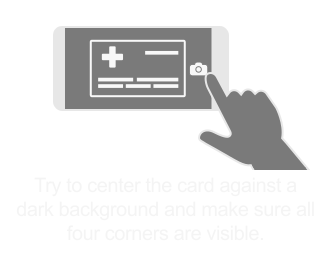
Background for instruction on insurance card front upload question
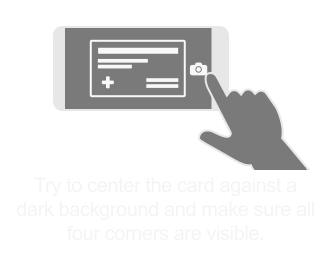
Background for instruction on insurance card back upload question

Review of Systems Profile Icons
body.svg
abdominal.svg
vision.svg
ear.svg
breathing.svg
heart.svg
urinary.svg
lymph.svg
skin.svg
hormone.svg
muscle.svg
mental_health.svg
nervous_system.svg
Preperation Instruction Images
remainder_of_mixture_transparent.svg
combo_pizza_pasta_drink_candy_transparent.svg
broccoli_transparent.svg
seeds_nuts_transparent.svg

questionnaire/tomato_transparent.svg
milk_transparent.svg
juice_pulp_transparent.svg
red_purple_liquids_transparent.svg
pizza_transparent.svg
pasta_transparent.svg
meat_transparent.svg
coffee_transparent.svg
chicken_broth_transparent.svg
juice_transparent.svg
bisacodyl_tablets_transparent.svg

pitcher_with_water_and_2_packets_pouring in_transparent.svg

yellow_gatorade_transparent.svg

polyethylene_glycol_transparent.svg
80z_solution_transparent.svg
bisacodyl_tablets_transparent.svg
jug_transparent.svg
iron_pills_transparent.svg
vitamins_supplements_transparent.svg